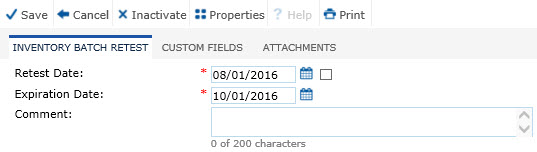
The Inventory Batch Retest module allows the user the ability to add an individual retest record for the selected inventory item. Additional tabs may appear including Custom Fields (if defined) and Attachments.
Enter the required fields, Reset Date and Expiration Date, and optionally the Comment field. Then, click save to return to the Batch Retest module.
Click Common Buttons for a description of the buttons found throughout the system and their uses.
Field |
Description |
Retest Date |
This field is required. |
Expiration Date |
This field is required and allows future dates. |
| Comment | This field can hold up to 200 characters. |