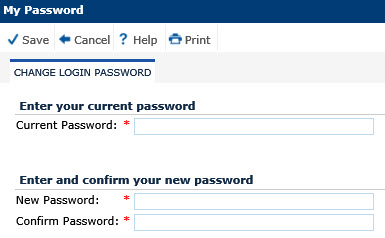
Change Login Password module allows users to change their current password as long as the authentication mode is set to ClinPlus CTMS; otherwise, users will be notified that the module is not available to them.
Click Common Buttons for a description of the buttons found throughout the system and their uses.
Field |
Description |
Current Password |
Enter the password that the user will use to login to the system. The field holds up to 20 characters. This field is required. |
New Password |
Enter a password to replace the Current Password. The field holds up to 20 characters. Hints will be displayed to the user based on the settings found in the Configuration variables including maximum and minimum length, lowercase, numerics, symbols, and uppercase characters. This field is required. |
Confirm Password |
Enter a password that is identical to the New Password. The field holds up to 20 characters. Hints will be displayed to the user based on the settings found in the Configuration variables including maximum and minimum length, lowercase, numerics, symbols, and uppercase characters. This field is required. |