 ,
which opens the Holiday
module.
,
which opens the Holiday
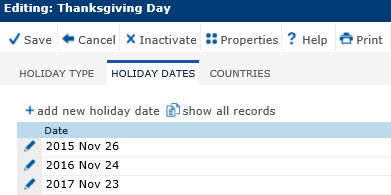
module.In the Holiday Dates module, users can view a list of date(s) for the selected holiday and add additional dates.
To add
a date, click the Add
New Holiday Date button, or edit
a record, click ,
which opens the Holiday
module.
To remove a holiday, click the Inactivate button and click Save to return to the Holiday Types module.
Click Common Buttons for a description of the buttons found throughout the system and their uses.
Field |
Description |
Date |
This column lists the dates associated with this holiday type. |