 to return to the Test Articles module.
The user can add or edit the different test articles, such as the study drugs or study devices.
Click to return to the Test Articles module.
Click here for a description of the Common Buttons found throughout the system.
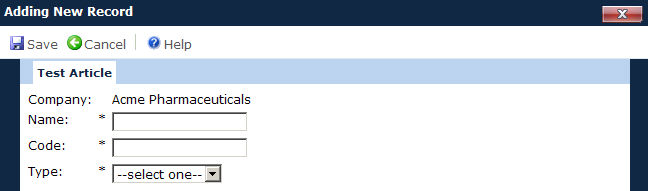
Field |
Description |
Company |
This field will only be displayed if the Application has been licensed for Multiple Companies. It will be populated with all active Company records and is required. |
Name |
The user can enter the name of the test article with up to 50 characters. This field is required. |
Code |
The user enters the code for each test article. This field can hold up to 10 characters and is required. |
Type |
This field is required and the user selects the type of test article from the available choices:
|