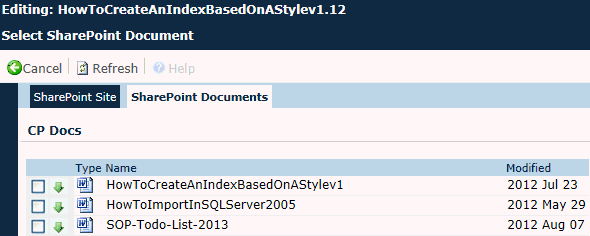
The purpose of this page is to select a SharePoint Document from a SharePoint Site.
|
Field |
Description |
|
Type |
This column displays the icon of the document type, for instance, Word or Excel document. Certain document types will be hidden if they are not listed as an active record on the Document Extensions page. |
|
Name |
This column shows the name of the document. |
|
Modified |
This column displays the date of the last time the document was changed. |
|
Button |
Description |
|
|
Clicking the |
|
|
Clicking the |
|
|
This button will be hidden unless the selected SharePoint Site has been successfully authenticated by the SharePoint Authentication Process. Clicking the |


 button prevents any updates made during this session from being retained.