button. To add a custom
event, click
button. To add a custom
event, click  or edit a record, click
 , which
opens the Project
Group module.
, which
opens the Project
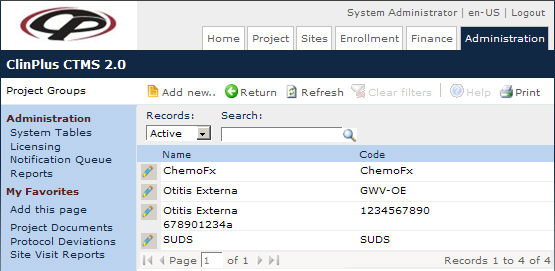
Group module.The Project Groups page lists all the groups within a standard project. These could be areas that the study is being conducted on, such as Lymphoma or Blood Transplant.
This link will be hidden if the Enable
Project Groups configuration variable is set to False.
Users can filter the records on Active,
Inactive, or All
as well as search for a word or string in the record. To remove all search
options, click the button. To add a custom
event, click or edit a record, click
, which
opens the Project
Group module.
Columns can be sorted in ascending or descending order by clicking the column heading.
Click Common Buttons for a description of the buttons found throughout the system and their uses.